
Reconciliation
This feature is designed to reconcile Provider cost lines with billed invoice lines.
Reconciliation completes the full billing lifecycle — from quote to cash to validation.
Reconciliation enables CSP partners to reconcile Microsoft’s Partner Center invoices with customer billing in Work 365, identify mismatches, and prevent revenue leakage or billing errors.
Creating a Report
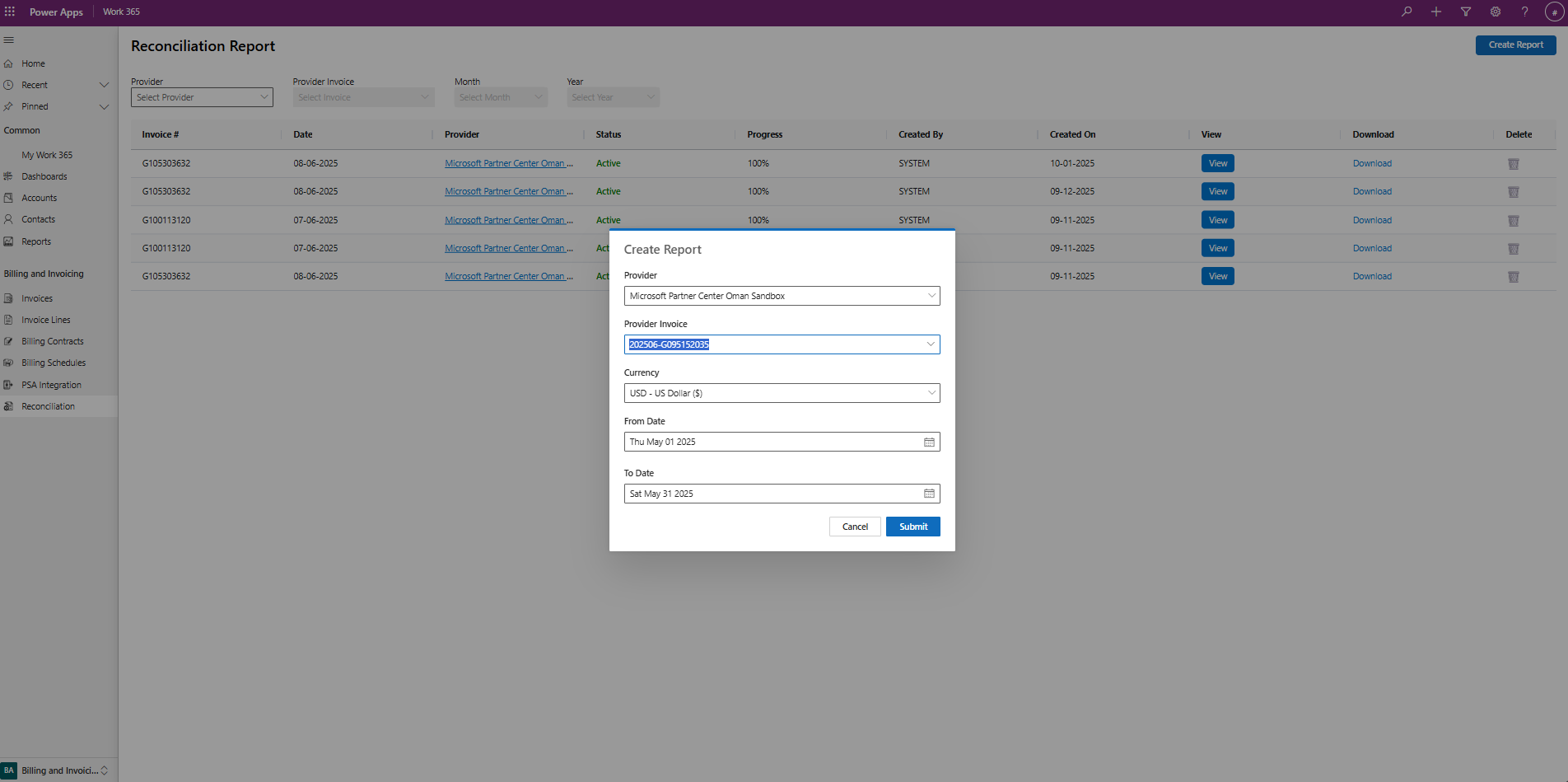
- Navigate to the Reconciliation Page under the Billing and invoicing tab
- Click on Create Report
- Enter information in the required fields
- The currency can be set to whatever you would like
- The "From" & "To" dates will auto populate based on the selected invoice. Note: selecting a date period outside of the auto populated dates may result in incorrect data.
- Once the report is loaded you can view directly on the web or download an excel file
Reading the Report
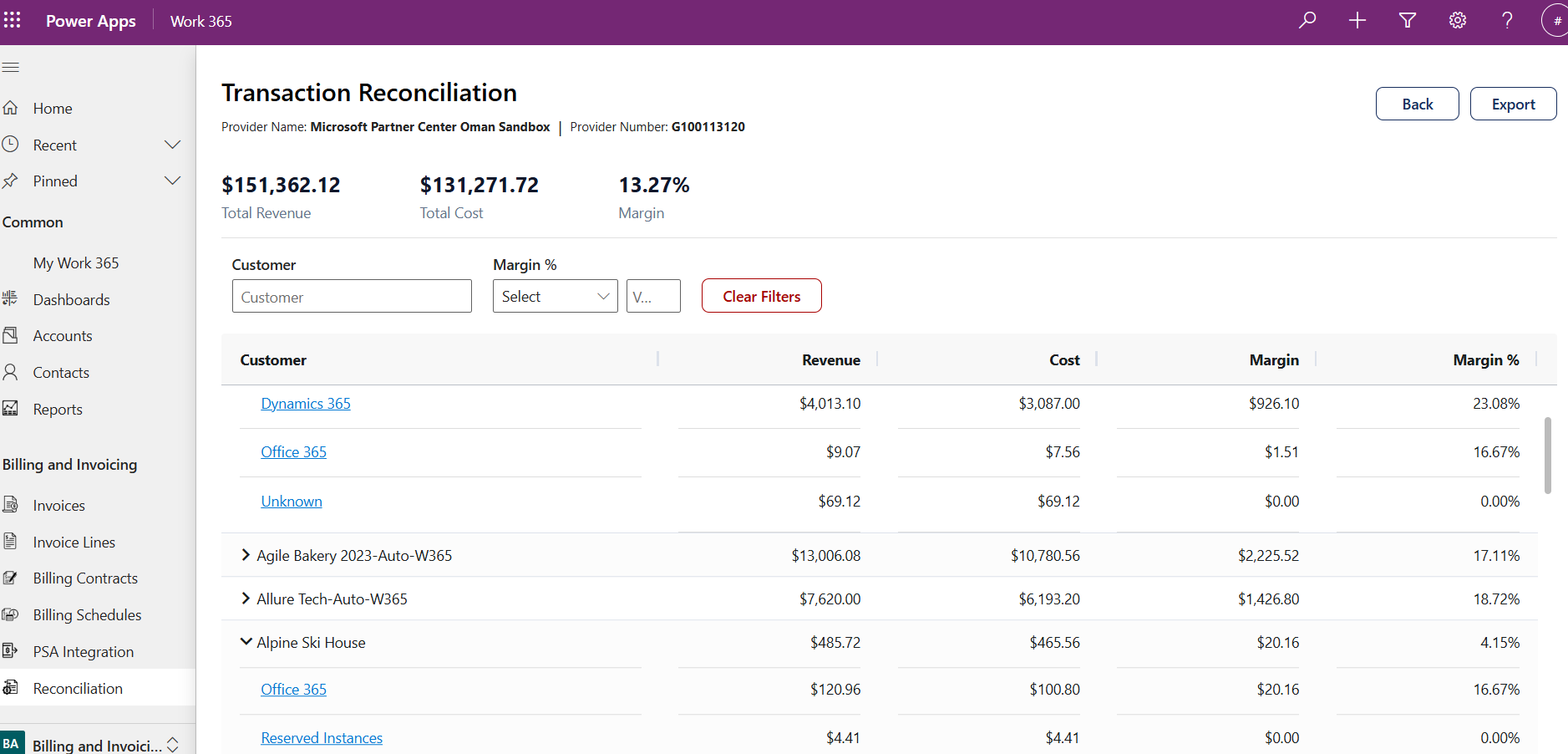
- The report will show all the Customers, Revenue, Cost, Margin, and Margin %
- Click into the customer to see the breakdown of what product areas are billed to the customer
- For Example, in the below image we can see Alpine Ski House has Office 365 & Reserved instances
- Filters are provided to easily navigate through the list of customers. There is also a filter for Margin %
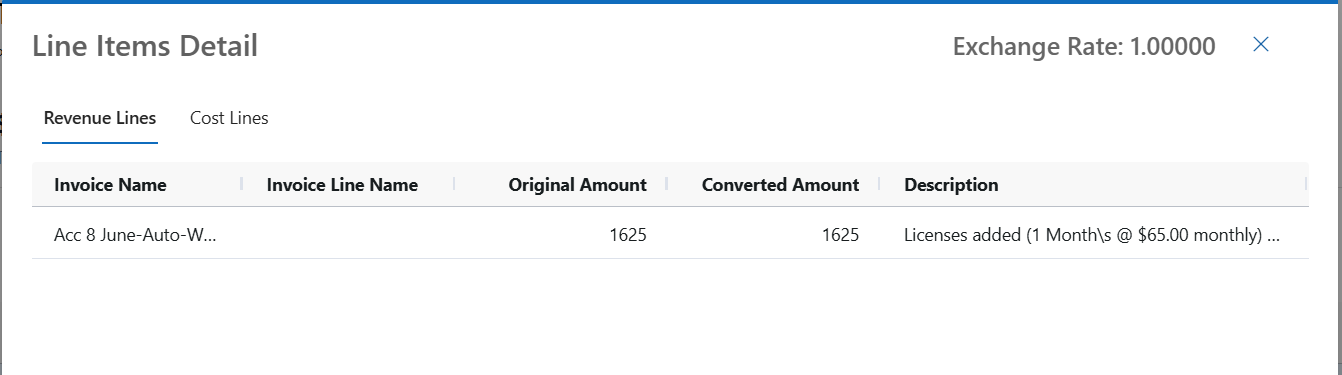
- By clicking into a product family Revenue Lines and Cost Line details are available
- This Report is available for Export
Provider Lines
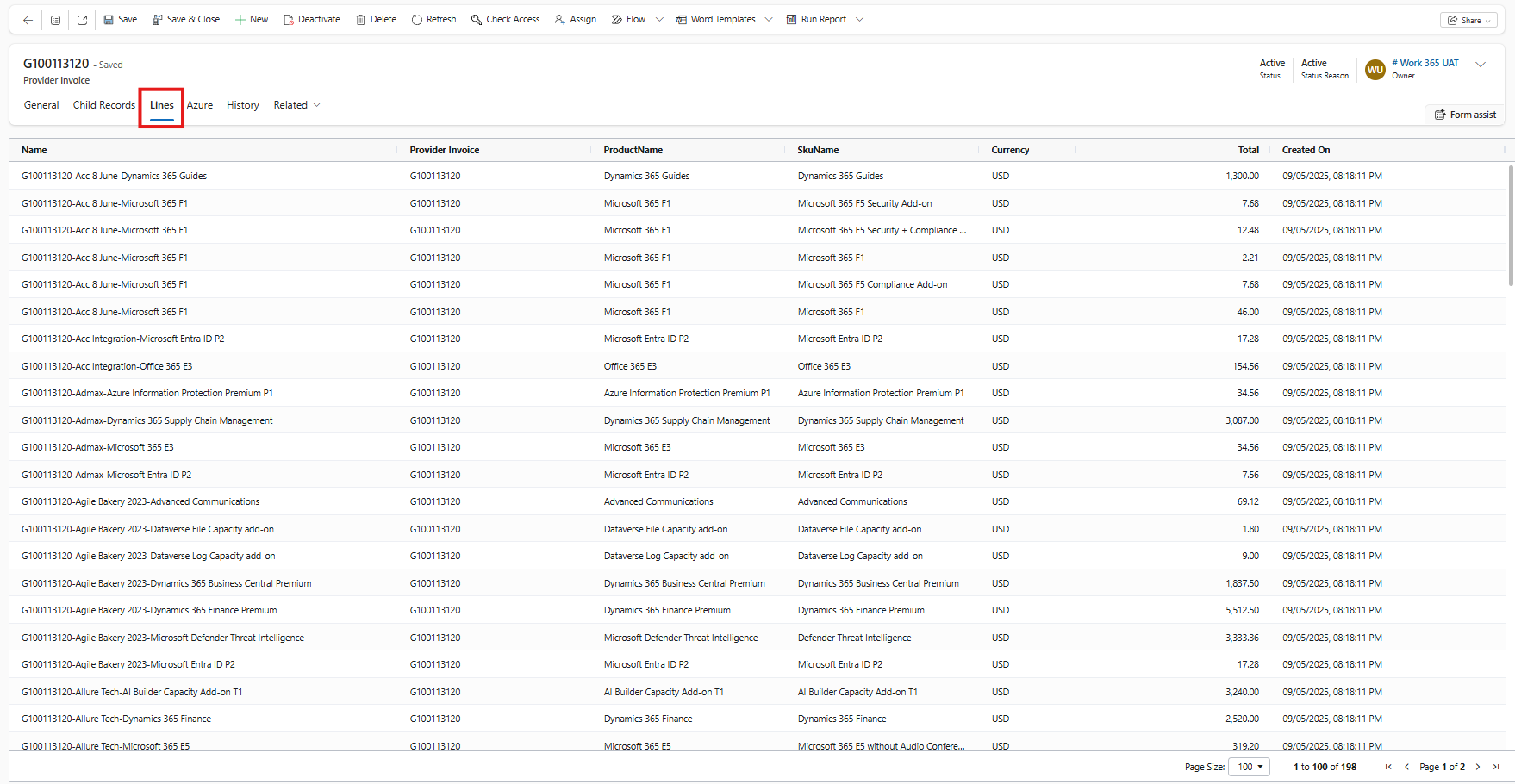
Navigate to the 'Lines' Tab in the provider invoice to view the individual lines from the provider invoice
Updated about 1 year ago
Did this page help you?